Lookups and Expressions
prompt: isn't just a static string — it's a template rendered against a snapshot of the note the button lives in, taken at click time. Two tiers:
{{ path.to.value }} — plain lookups, always available
Dot-path access into the context object. An unknown root name (e.g. a typo like {{flie.basename}}) is left in the prompt untouched, so the mistake stays visible rather than silently vanishing; a missing value under a known root (e.g. no frontmatter, or a field that isn't set) renders as an empty string.
Real example — a button using {{file.path}}, and the exact command it produced:
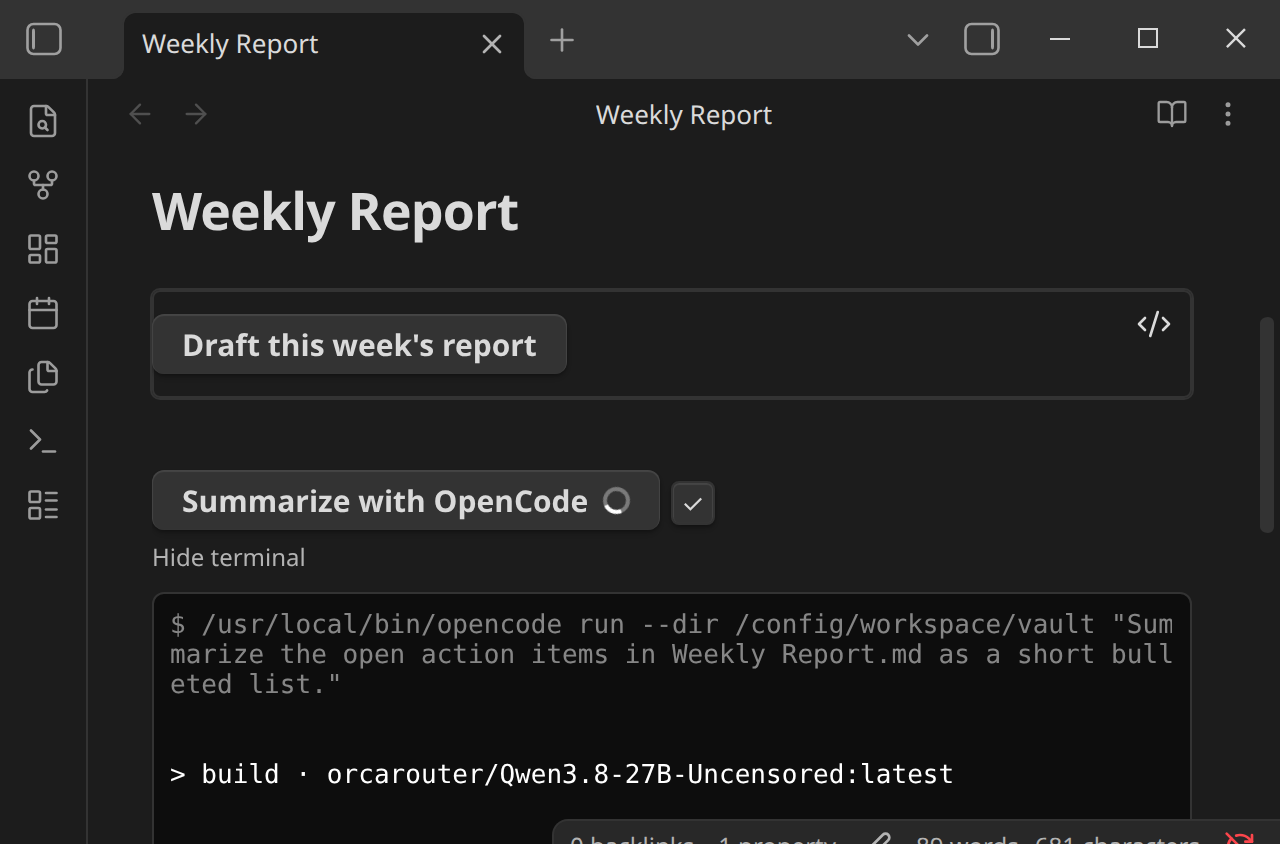
Notice {{file.path}} was already substituted with the note's actual path by the time the command reached the terminal — the terminal echo shows the rendered prompt, not the template.
{{= expression }} — a small expression language, opt-in
For anything a plain lookup can't express — conditionals, comparisons, string building — {{= }} evaluates a compact expression against the same context, with property access (file.frontmatter.status), string/number/boolean literals, + - * / %, comparisons (== != === !== < <= > >=), && || !, a ternary (cond ? a : b), and a small fixed set of helper functions: join(arr, sep), upper(s), lower(s), default(val, fallback), includes(collection, item), length(x). For example:
prompt: {{= file.frontmatter.status === "draft" ? "Finish drafting " + file.basename : "Review " + file.basename }}
This is deliberately not arbitrary JavaScript via eval/new Function — Obsidian's own community-plugin lint (eslint-plugin-obsidianmd) flags that pattern and its config marks the rule non-suppressible, a hard constraint for anything submitted to the community plugin directory, not a style preference. The plugin ships a small hand-written parser/interpreter instead: no assignment, no loops, no access to anything outside the context object, and a fixed, closed set of callable names — there's no code-execution surface to sandbox because there's no way to reach outside the grammar. It covers the realistic "compute part of a prompt from this note's metadata" use case without that risk.
Because it can run arbitrary-ish logic (however constrained) on every click, {{= }} is off by default — a button using it does nothing until Allow JavaScript expressions in prompts is turned on in Settings → Inline Agents:
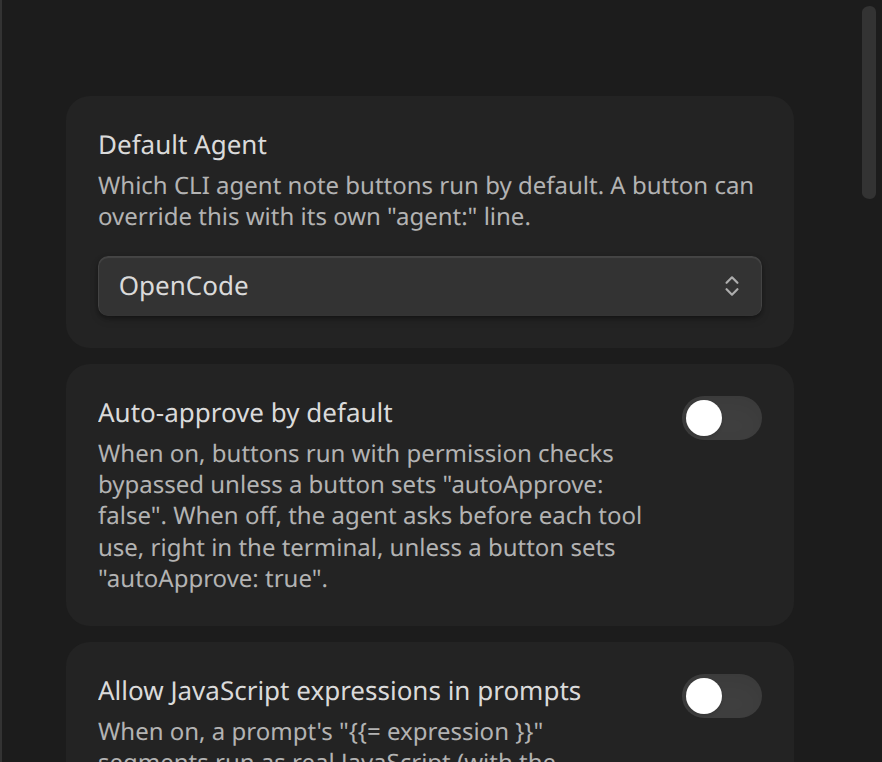
While off, a button whose prompt contains {{= }} writes a clear error to the terminal and doesn't run, rather than silently sending the literal {{= ... }} text to the agent.
Known limitations
- Regex-delimited, not brace-matched. Both
{{= }}and{{ }}are found with a non-greedy match up to the first}}, so an expression containing a literal}}(most plausibly a nested object/array literal) won't parse correctly. Realistic prompt-building — property access, comparisons, string concatenation, ternaries, the built-in helpers — doesn't hit this. &&,||, and? :always evaluate both sides, unlike real JS short-circuiting. Harmless in practice — everything in the expression language is a pure, total function of its inputs (property access never throws, and the only callable functions are the fixed pure helpers), so there's no side effect an unused branch could produce — but worth knowing if you were expectinga || expensiveLookup()to skipexpensiveLookup().
Next
See the full list of what's available in Context Reference.