Settings Reference
Gear icon → Inline Agents.
Plugin-wide
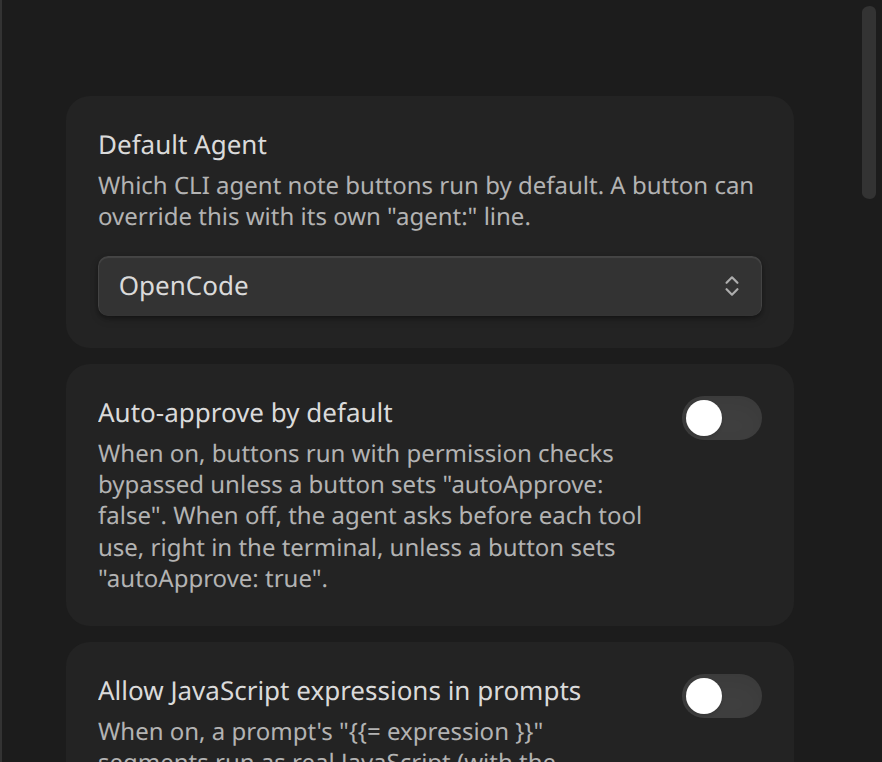
| Setting | Default | |
|---|---|---|
| Default Agent | Claude Code | Which CLI agent note buttons run when they don't specify their own agent: line. |
| Auto-approve by default | Off | When on, buttons run with permission checks bypassed unless a button sets autoApprove: false. When off, the agent asks before each tool use, right in the terminal, unless a button sets autoApprove: true. |
| Allow JavaScript expressions in prompts | Off | Gates {{= expression }} segments in prompt: templates. Plain {{ file.basename }}-style lookups always work regardless of this setting — see Context and Templating. |
Per provider (Claude Code / OpenCode)
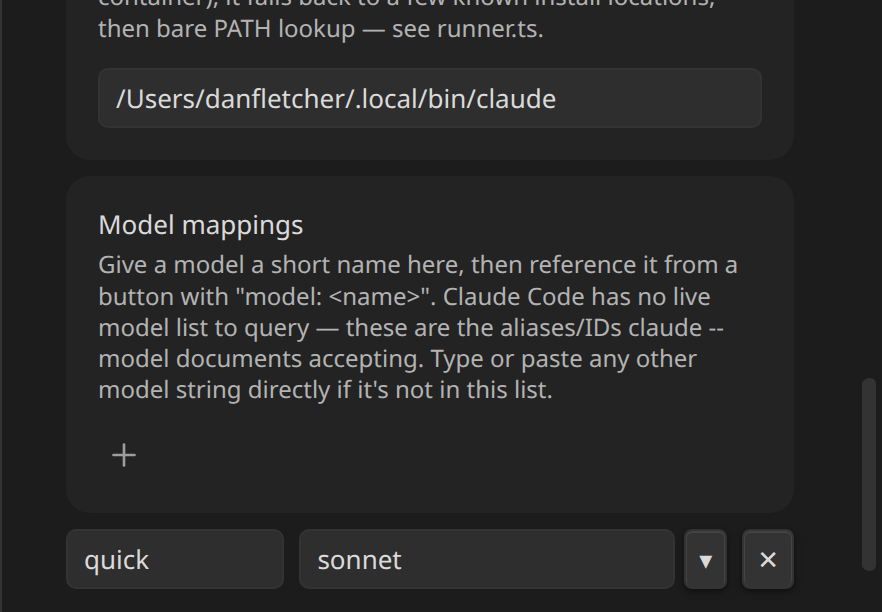
| Setting | ||
|---|---|---|
| Connection status dot | green/red next to the provider name | Whether the configured binary actually runs (<bin> --version exits 0) — not an auth check. Refreshed on Settings open and via the ↻ button. |
| Binary path | text field | Absolute path to the executable, or a bare command name to rely on PATH. Falls back through known install locations and finally PATH lookup if the configured path doesn't exist — see Claude Code and OpenCode. |
| Model mappings | dynamic list | Name → model string pairs a button's model: line resolves against — see Model Mappings. |
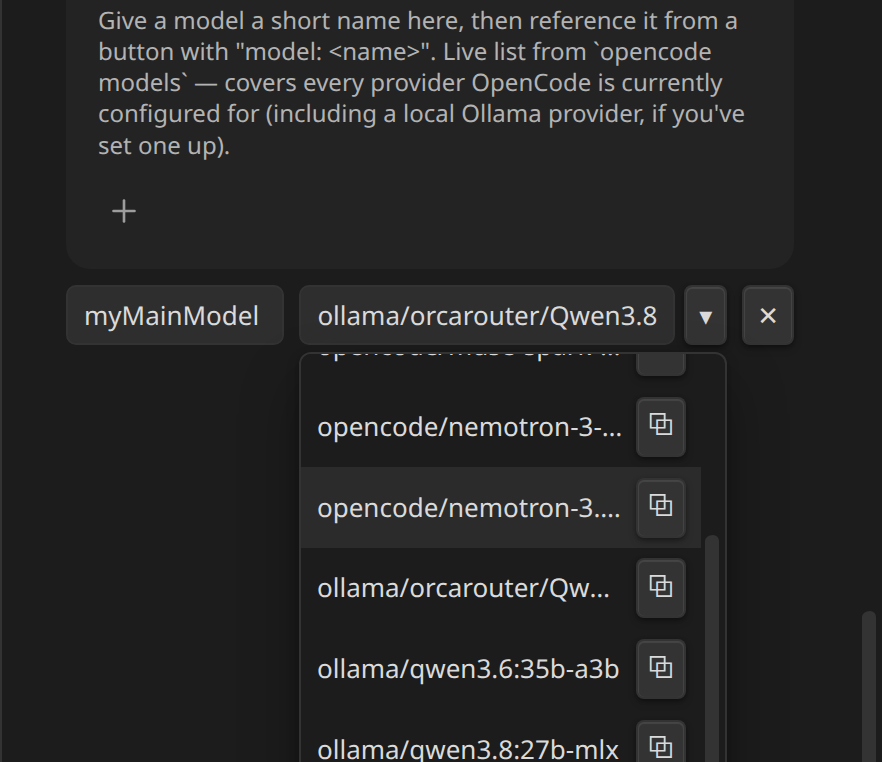
OpenCode's model dropdown is a live list from opencode models:
Where each setting lives in the source
For contributors: the whole tab is AgentConsoleSettingTab in src/settings.ts, using the classic imperative display() API rather than the declarative getSettingDefinitions() one — the model-mapping list (dynamically added/removed rows, a custom dropdown with a per-option copy button, live status dots) needs DOM control the declarative control types can't express. One trade-off: this tab doesn't appear in Obsidian's own in-app settings search.